How to place a VRX and video-interception gear: practical principles for stable FPV video reception
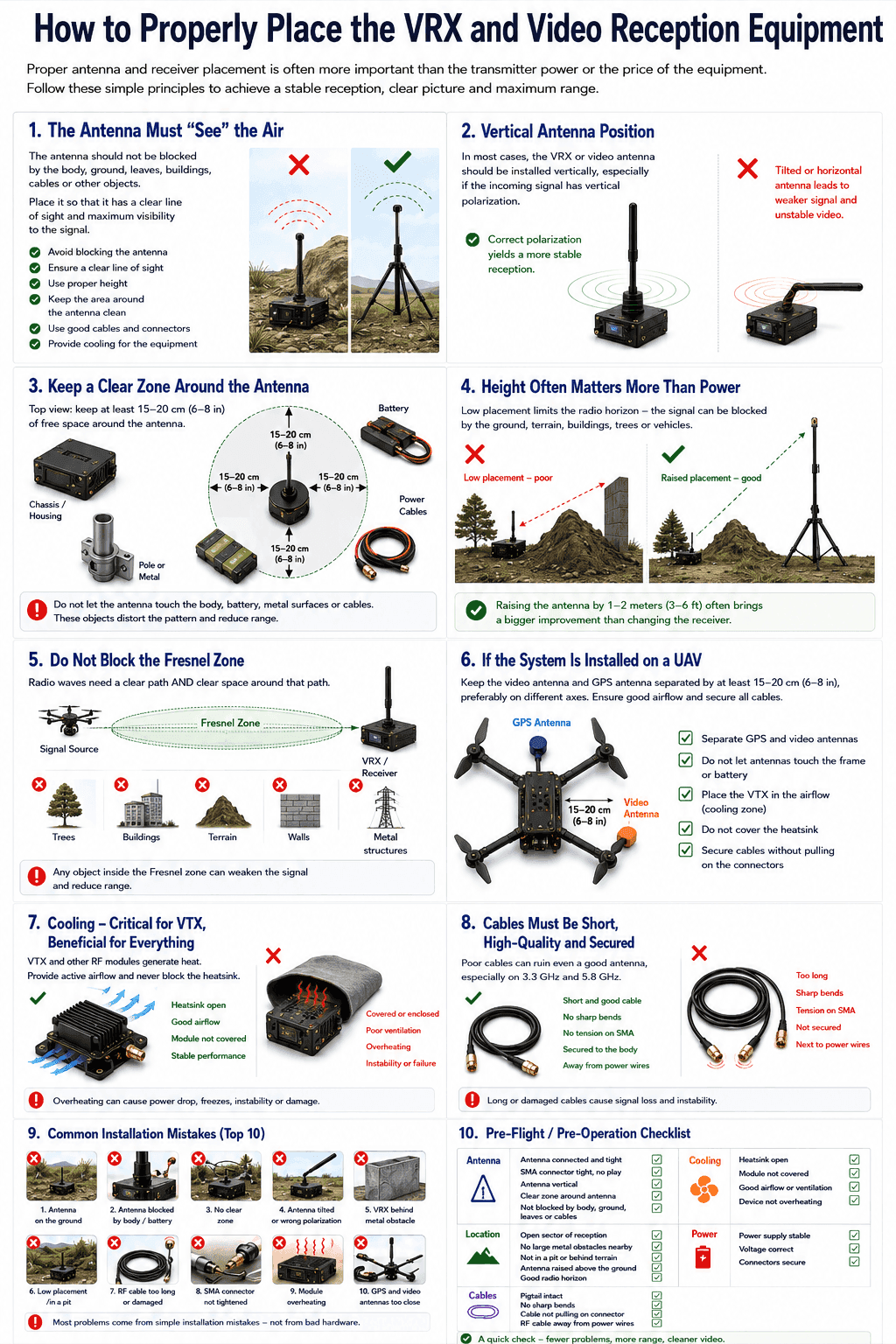
The quality of analog FPV video reception depends on more than the receiver, the antenna or the transmitter power. Very often the main cause of a weak signal, noise, image dropouts or unstable RSSI is incorrect equipment placement.
Even a good VRX or video scanner performs much worse if the antenna is blocked by the body, the ground, foliage, cables or metal parts. So how you position the device in space is not a minor detail — it is one of the key factors in system performance.
For effective ground use you need a clear zone around the antenna, a vertical mount and no close obstacles within at least 15 cm. An open area, a clean radio horizon and an unobstructed Fresnel zone matter just as much.
1. The antenna must “see” the air
The first rule — the antenna must not be hidden. For stable reception, place it so there are no dense obstacles around it: the body, the ground, wet foliage, metal, batteries, power cables or other structural elements.
This is especially critical at 1.2 GHz, 3.3 GHz and 5.8 GHz. The higher the frequency, the more the signal suffers from blocking, a wrong antenna position and a lack of line of sight.
Bad: the antenna lies on the ground, pressed against the body or covered by gear.
Good: the antenna is raised above the surface, stands vertically and has free space around it.
2. A vertical antenna is the baseline rule
In most practical scenarios the VRX or video-scanner antenna should stand vertically. This is especially important when the expected signal is also vertically polarized.
If the antenna is tilted, horizontal or partly covered by the body, the system can lose part of the signal — the operator sees a lower RSSI, more noise and an unstable picture.
A simple point matters here: the receiver may be excellent, but if the antenna is positioned wrong, the air simply does not reach it properly.
3. A clear zone around the antenna
Leave at least 15 cm of free space around the antenna with no close obstacles. This is the minimum practical zone that reduces the influence of the body, cables, metal and other objects.
For VRX units, scanners and video-reception gear this means:
- the antenna must not touch the body;
- do not put it on a battery or a metal surface;
- power cables must not run right next to the antenna;
- avoid placing the antenna right beside a mast, pipe or large metal plate.
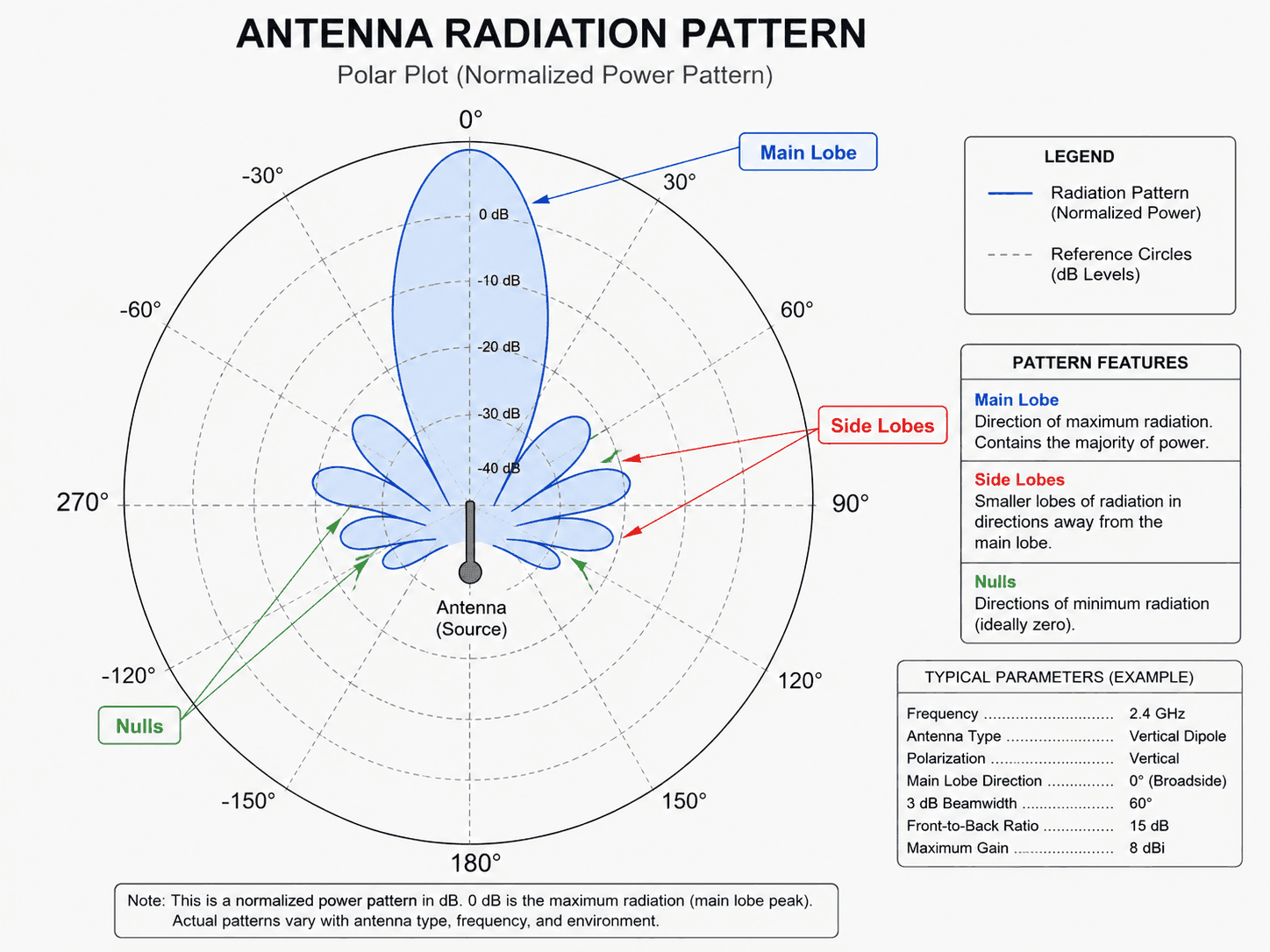
It works especially badly when the antenna is seemingly vertical but fully blocked on one side by the body or another metal element. The reception pattern is distorted and the system receives well only from one direction.
4. Height often matters more than “power”
The radio horizon is hugely important for video reception. If the VRX or antenna sits low, the signal can be blocked by the ground, terrain, buildings, trees or vehicles.
Raising the antenna by 1–2 metres is often more useful than changing the receiver or adding amplification. But the height must be reasonable: the mast or bracket should be stable, the cable should not add heavy losses, and the antenna should not sway in the wind.
Practical principle: for ground use, mount the antenna not on the ground but on a tripod, mast, pipe, shelter roof or another stable point with an open field of view.
5. Do not block the Fresnel zone
Beyond line of sight, the Fresnel zone matters too — the space around the signal path. Even if there seems to be visibility between the source and the receiver, trees, ground, hills or structures near that line can degrade reception.
In simple terms: the signal needs not only a narrow “beam” to the antenna but also some free space around that direction. So avoid placing a VRX:
- in a pit;
- behind a concrete wall;
- under dense trees;
- directly behind vehicles;
- on the ground next to metal structures;
- where terrain blocks the antenna from all sides.
6. When the system is mounted on a UAV
For airborne placement the rules are even stricter. Space the device antenna and the GPS antenna as far apart as possible — at least 15–20 cm is recommended, ideally on different axes. This reduces mutual interference and helps avoid GPS-fix problems.
For a VRX or video scanner on a UAV this means:
- the antenna must be kept away from the frame;
- GPS and video antennas must not sit right next to each other;
- cables must not pull on the connectors;
- the module must not be hidden where there is no ventilation;
- the antenna must not be covered by the battery.
7. Cooling: critical for the VTX, useful for the whole unit
If the system has a VTX or another hot RF module, it must not be covered. Place the VTX in active airflow, keep the heatsink clear and do not install the module where there is no ventilation.
Overheating leads to unstable operation, power sag, freezes or module damage. For ground use this means not putting the device in a closed box without ventilation, under the sun or right next to other heat sources.
8. Cables must be short, quality and fixed
A bad cable can ruin even a good antenna. This is especially noticeable at 3.3 GHz and 5.8 GHz, where cable losses grow fast. For VRX and video-reception gear it is better to:
- avoid unnecessarily long RF cables;
- avoid sharp bends;
- not leave SMA connectors under tension;
- fix the cable to the body or mast;
- not run the RF cable right next to power wires;
- check the pigtails before heading out.
If the antenna is mounted on a mast, balance matters: it should be higher and more exposed, but the cable must not be so long that losses eat up the entire gain from the height.
9. Common VRX mounting mistakes
Most often reception problems come not from a “bad receiver” but from simple mounting mistakes:
- the antenna lies on the ground;
- the antenna is covered by the body or battery;
- there is no free space around the antenna;
- the antenna is tilted or has the wrong polarization;
- the VRX sits behind a metal obstacle;
- the device is placed in a low spot;
- the RF cable is too long or damaged;
- the SMA connectors are not tightened;
- the module overheats;
- the GPS and video antennas on the UAV are too close.
10. A practical pre-flight checklist
Before running a VRX or a video-reception system, quickly go through a simple checklist.
Antenna: connected; the SMA has no play; it stands vertically; there is a clear zone around it; it is not covered by the body, ground, foliage or cables.
Location: there is an open reception sector; no large metal obstacle nearby; the device is not in a pit; the antenna is raised above the ground; there is a normal radio horizon.
Cables: the pigtail is intact; no sharp bends; the cable does not pull the connector; the RF cable does not run together with power wires.
Cooling: the heatsink is clear; the module is not covered; there is airflow or ventilation; the housing is not overheating.
Conclusion
Correct placement of a VRX, video scanner or video-reception device often has a bigger effect than upgrading to more expensive hardware. The antenna should be exposed, vertical, kept away from obstacles and positioned to have a clean radio horizon.
For ground use the main thing is to raise the antenna, keep a clear zone around it and not block it with the body or terrain. For a UAV install, spacing from the GPS antenna, cable fixing and proper module cooling matter on top of that.
Simple rule: first the right spot, then the antenna, then the cable, and only after that — the receiver settings. Because even the best VRX cannot receive a stable signal if its antenna sits in the wrong place.